Start with a clear photo
Use a straight-on photo of the person, well lit, with the head and upper body in frame. A plain background helps. This one photo is all you need to begin.
Stylise it with an AI image tool
Open an AI image tool (ChatGPT with images, or any image model), attach the photo, and paste the prompt below. It turns the person into a clean, collectible-toy version on a transparent background, which is exactly what a 3D model likes best: one clear subject, no clutter.
Transform the person in the reference photo into an original premium designer collectible vinyl figure. Preserve the person's recognizable hairstyle, glasses, facial shape, expression, outfit colors, shoes, watch, phone, and drink while simplifying them into clean, iconic forms.

The figure should have a large rounded head (about 40% of total height), compact body, slightly oversized hands and feet, and balanced cartoon proportions. The face should feature large glossy black oval eyes, a tiny rounded nose, a subtle closed-mouth smile, softly sculpted eyebrows, and only the slightest hint of facial stubble.

Use smooth molded geometry with almost no surface texture. Hair should be sculpted as one clean volume with only a few large grooves. Clothing should be simplified with only 2-4 broad folds and no visible fabric weave. Shoes, glasses, watch, phone, and cup should all have chunky, simplified shapes with minimal detailing.

Materials should look like premium matte vinyl with a slight satin sheen, soft rounded edges, and seamless construction, as if manufactured as a high-end collectible. Avoid realistic skin pores, fabric textures, hair strands, tiny wrinkles, or complex anatomy.

Pose the figure naturally, standing upright in a relaxed stance while holding the phone in one hand and the drink in the other. Render it as a studio product photograph with soft diffused lighting, subtle ambient occlusion, crisp edges, gentle shadows, and a transparent background.

Style keywords: designer toy, collectible vinyl figure, minimalist industrial design, smooth sculpt, iconic silhouette, premium 3D product render, clean geometry, simplified forms, elegant proportions, original character design.

Avoid: photorealism, visible textures, skin pores, realistic hair strands, excessive clothing wrinkles, packaging, bases, logos, branding, text, or resemblance to any existing collectible toy brand.
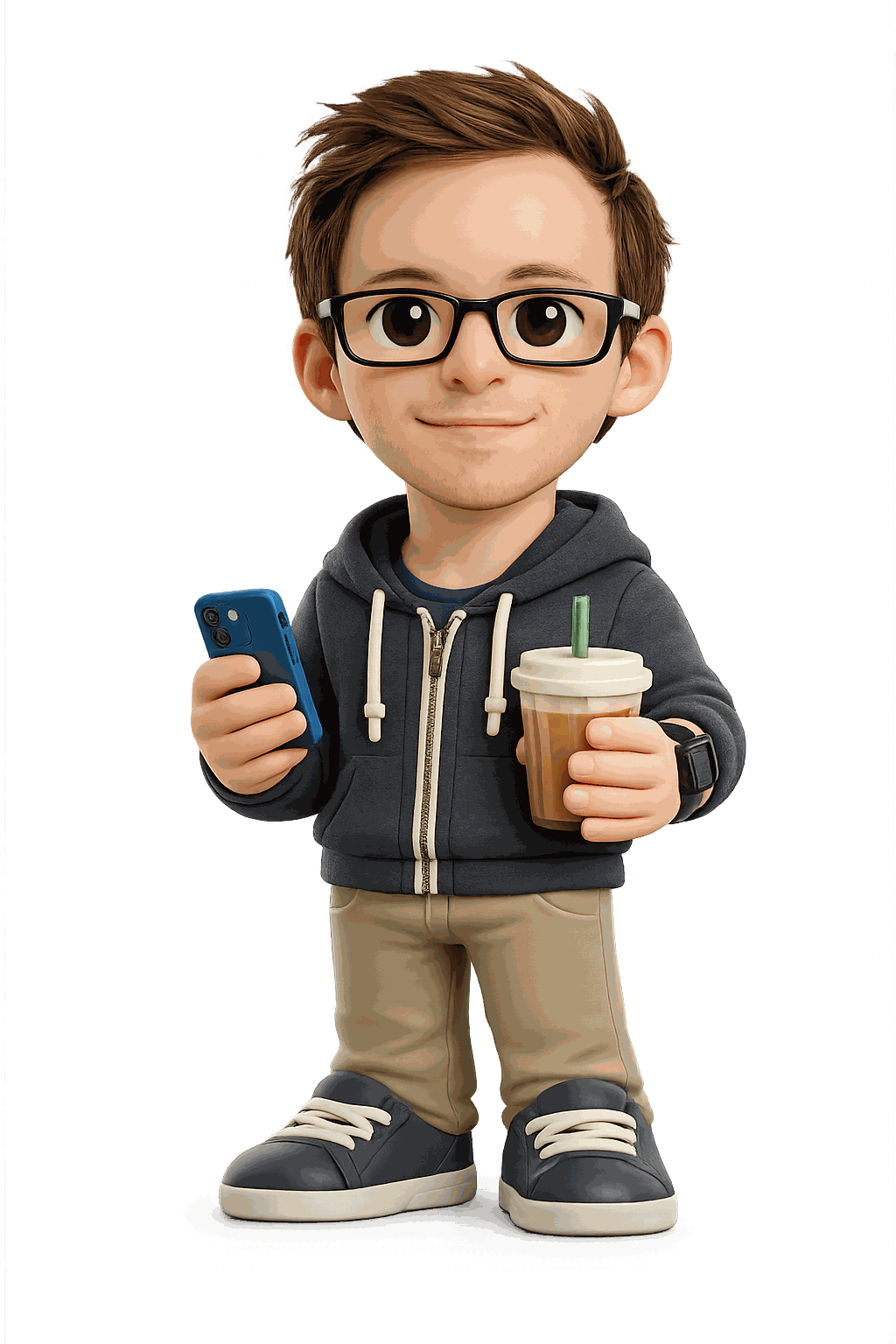
Heads up: this step happens in that outside tool, so your photo goes to it. Everything after, the 3D part in 3D Mate, runs entirely on your Mac.
Ask for two more angles
A single image gives 3D Mate a great front, but the back is its best guess. To fix that, ask the same tool for two more views of the same character: one from the left, one from the right. Keep the style, colours, and pose identical, and a transparent background. Save all three as PNGs.
Now show the exact same character, same style, materials, colors and pose, viewed from its left side. Transparent background, no base, no text. Then give me one more from its right side.
Bring the image into 3D Mate
Drag the front image onto 3D Mate. For a single image, that is all you do. If you made the side views, use multi-angle: drop all of them and mark them as one object, so the model has real sides to build from. Then pick a model, TripoSG for the sharpest shape, or TRELLIS.2 for a dependable all-rounder.
A few things that make a big difference
- Keep the background transparent. It is the single biggest quality win. The prompt asks for it; do not paste it back onto a scene.
- Big head, simple shapes read best in 3D. The toy style is not just cute, it is easy, clean geometry that reconstructs well.
- Match the style across the three angles. Consistency between the views matters more than a perfect likeness in any one of them.