Image to 3D/Photo to 3D model
You have a photo of something and you want it in 3D. That is it. 3D Mate does this on your Mac with AI, no jargon and no cloud account. Here is what to expect, in plain English.
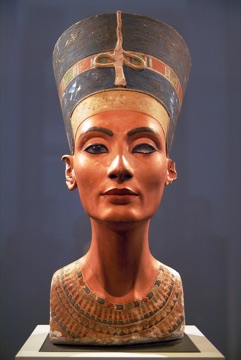
Yes. Give 3D Mate one clear photo, pick a model, and it builds a 3D version you can spin around and export. The example on the right started as a single picture, shown on the small thumbnail. Drag the model to look at it from any side.
You do not need to know what a mesh, a NeRF, or photogrammetry is. You bring the photo; the app does the 3D part.
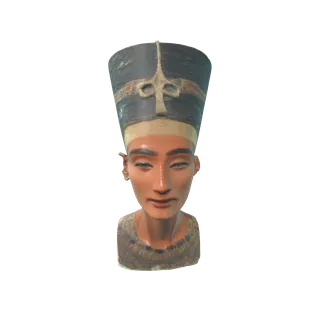
The photo
One photo in, a 3D model out. Made on a Mac in 3D Mate.
A photo only shows one side of a thing. The AI is very good at guessing the rest, but it is still a guess. Knowing the difference sets the right expectations.
So a single-photo model is a faithful version of what you showed and a sensible invention of what you didn't. For a hero shot, a game prop, or a quick 3D of an object, that is usually exactly enough.
A few seconds of care with the photo does more for the result than any setting.
Get close so the subject fills most of the picture. Small or cut-off subjects give the AI less to work with.
Soft, even light shows the shape. Avoid harsh backlight and deep shadow that hide form.
A plain wall or floor helps the app separate the subject cleanly. Busy backgrounds confuse the cutout.
A three-quarter view reveals more shape than a flat, head-on photo, so the model reads as solid.
Want a real back? Take two or three photos of the same object and 3D Mate combines them.
Transparent and reflective surfaces are genuinely hard. Matte, opaque objects reconstruct best.
There are two honest ways to get a photo into 3D, and 3D Mate has both.
Single-image AI takes one photo and invents a plausible 3D shape. It is fast, forgiving, and great when you only have one picture, or when the subject no longer exists to photograph. This is what every AI engine in 3D Mate does.
Photogrammetry measures a real object from many overlapping photos, so the result is closer to a true copy, including the back. In 3D Mate this is Photo Scan, which uses Apple's Object Capture, built into macOS. Use it when you own the object and want accuracy over speed. If you have heard of NeRF, this is the same family of idea: reconstruct a real thing from lots of views.
Rule of thumb: one photo, or a subject you cannot re-shoot → AI. A real object in your hands and you want it accurate → Photo Scan.
A photo-made model is a normal 3D file. Here is where people take it next.
Export GLB, OBJ, or USDZ and open it in your tools. See what the model can do.
Turn the photo into something you can hold, on your own 3D printer.
Want the full technical picture? Read the pillar guide, image to 3D, or the people-focused 3D character from a photo.
On your Mac, in plain English, free to try.