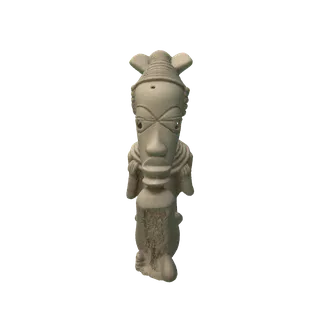
Image to 3D/Image to 3D model
Not just a render. 3D Mate builds real geometry and texture from your image on your Mac, then hands you a file you can open in Blender, drop into a game engine, or view in AR.
The output is a mesh: vertices, faces, and UV-mapped texture. Rotate it, relight it, switch it to clay or wireframe to check the shape under the skin, then export it as a file other software understands.
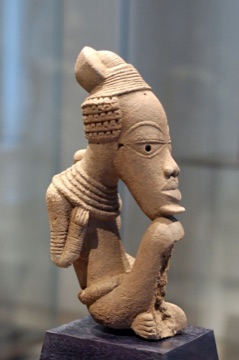
Source image
Created in 3D Mate from the source image. Tap the thumbnail to compare.
Different engines make different kinds of models. Pick by the shape and finish you want, then refine in the viewer.
Most engines paint the model from your image, so it arrives colored and UV-unwrapped, ready for the web or a game.
TripoSG, Step1X-3D, and Hi3DGen focus on clean, detailed shape first, ideal when form matters most.
Built-in mesh cleanup and quad retopology rebuild dense output into even topology, with the texture rebaked, for editing.
Not sure which engine fits your subject? Read the model comparison or the full image to 3D guide.
A generated model is a starting point. 3D Mate exports the format each destination expects.
Export OBJ or GLB and open it in Blender, sculpt or retopologize, and rebake. Standard geometry, no lock-in.
UV-unwrapped GLB or OBJ for Unity, Unreal, and Godot, from a single reference image.
Export USDZ for AR Quick Look on iPhone, iPad, and Vision Pro. What is USDZ.
Turn a product photo into a spinnable 3D model, transparent stills, and turntable video for a page.
Need a physical object? Export a watertight STL or 3MF. See image to STL.
Browse all the local models and what each is good at in the model library.
Drop an image into 3D Mate and it removes the background so the mesh is built from your subject. Choose an engine, generate on your Mac, and the model appears in a studio-lit viewer. Rotate it, switch materials to inspect the geometry, set a camera, then export.
Because everything is a standard mesh, the model is yours to take anywhere. Send GLB to the web, OBJ to Blender, USDZ to AR, or run the built-in cleanup for even quad topology before you sculpt. If you started from a real-world photograph rather than a rendered image, the photo to 3D model page covers what the AI can and cannot know from one shot.
Local on your Mac, free to try, yours to export.